Business Workflow Automation System
An automation platform for internal processes: forms that start workflows, conditional approvals, integrations with existing tools, scheduled jobs and a complete run history.
Project facts
- Project type
- Workflow automation
- Category
- Business systems
- Industry
- Operations & back office
- Technology stack
- Next.js
- React
- TypeScript
- PostgreSQL
- Prisma
- BullMQ
- Redis
- REST API
- WhatsApp Business API

Overview
This demonstration project shows a workflow automation system for a company whose processes run through email, chat and spreadsheets — purchase requests, leave, onboarding, lead routing, invoice sync. Each process becomes a visible workflow: a trigger, conditions, approvals and actions in other systems.
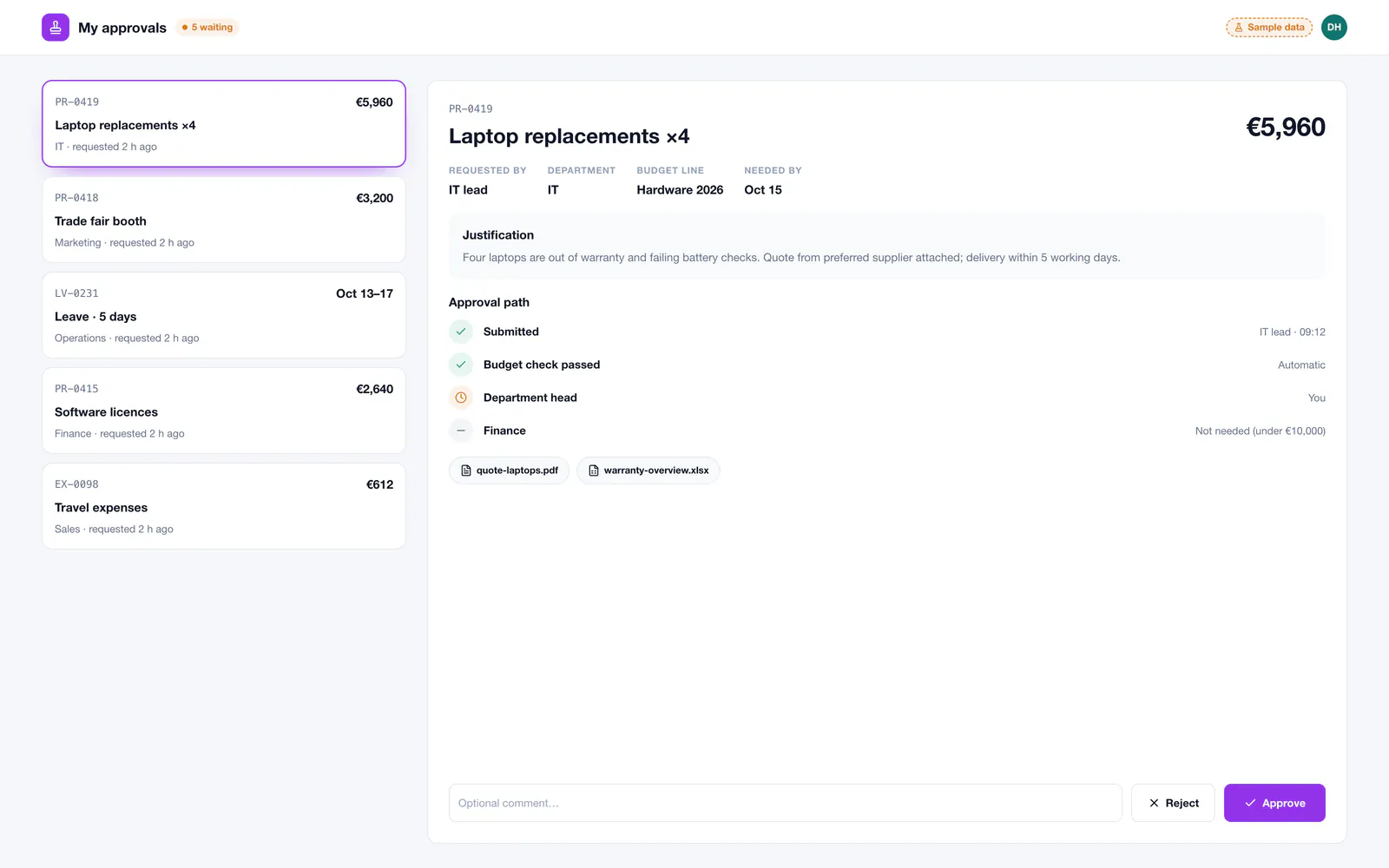
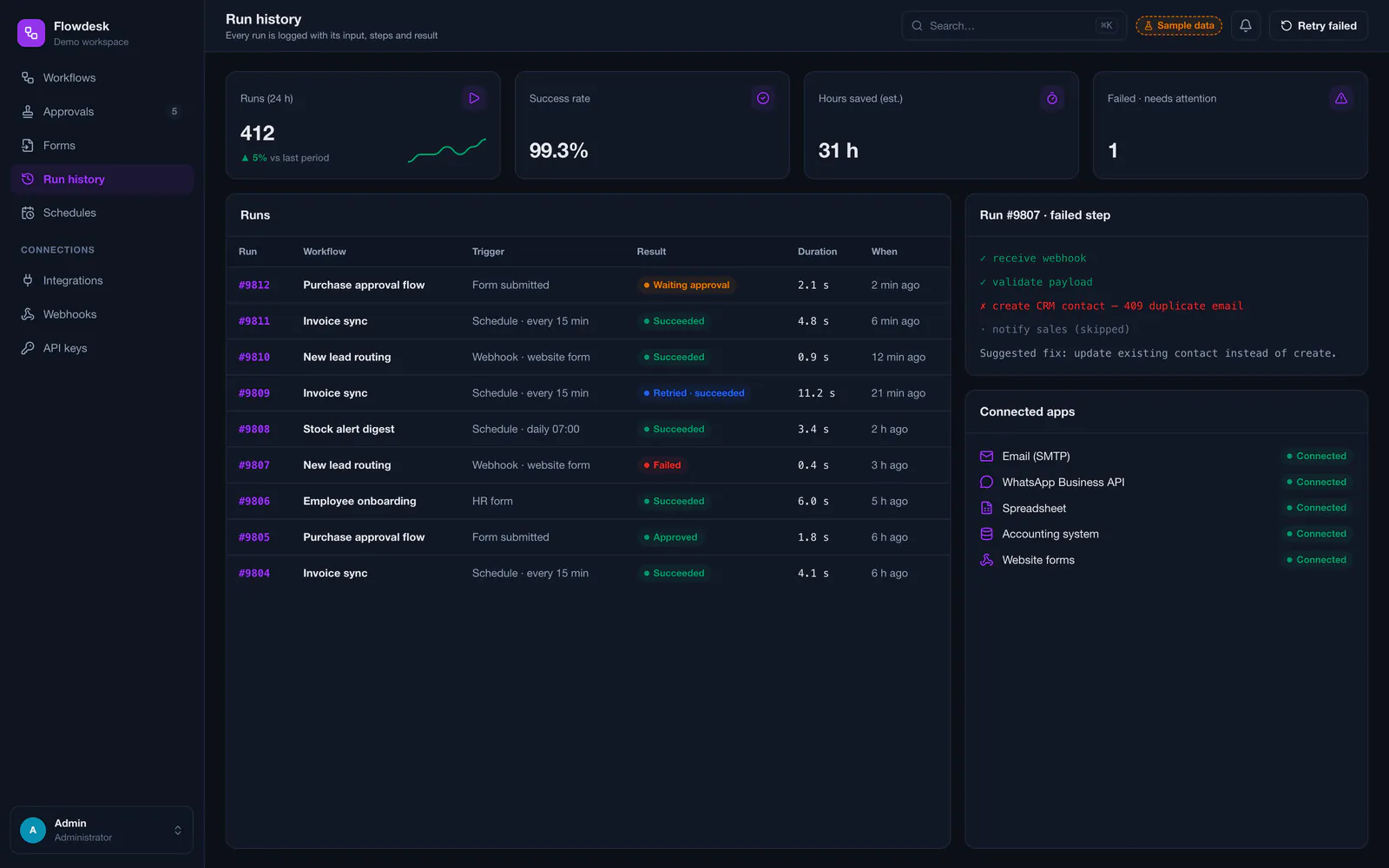
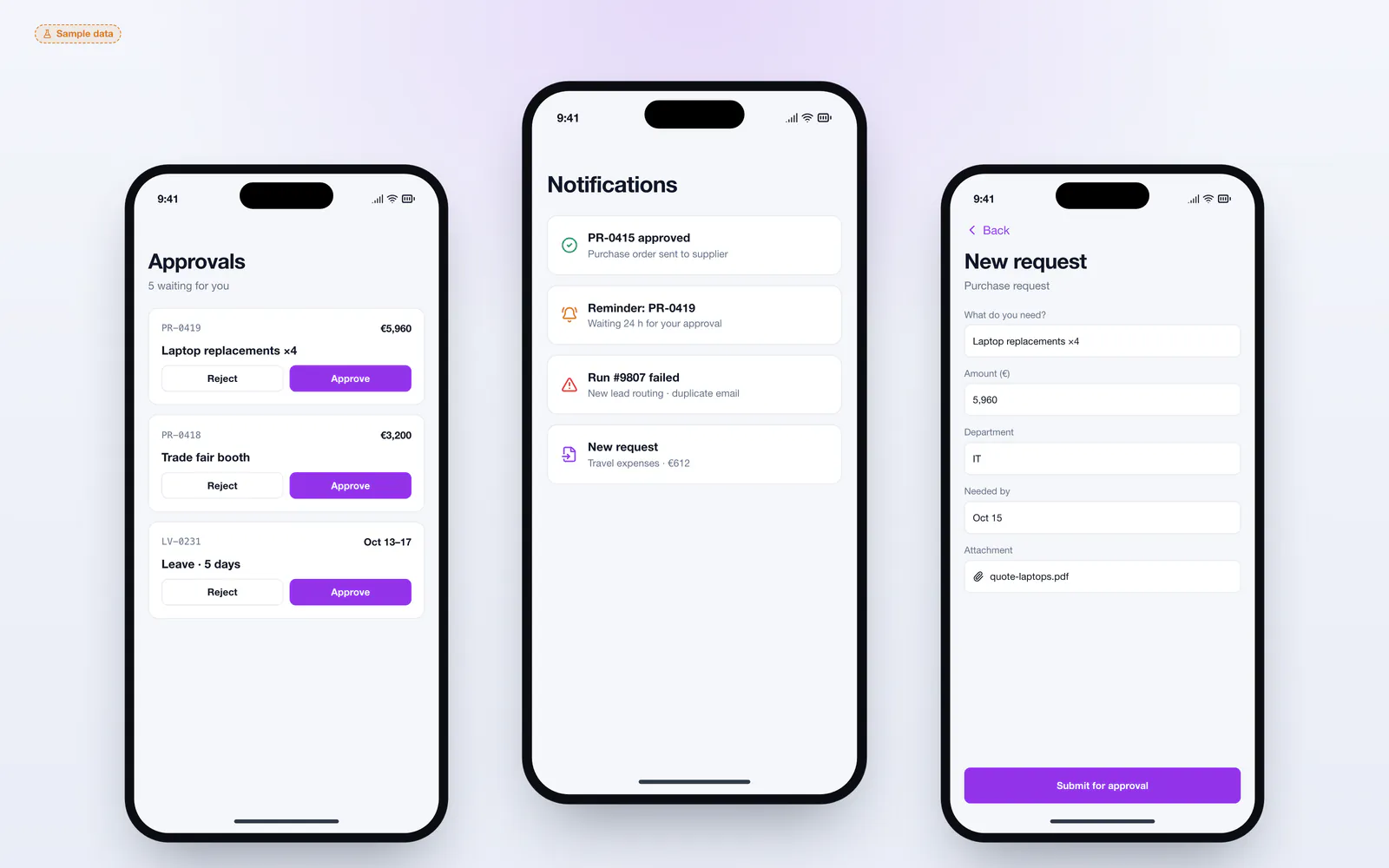
Employees submit requests through simple forms and approve from their phone; the operations team sees every run, can retry a failed step and changes rules without asking a developer for each tweak.
The challenge
Internal processes often depend on who remembers what. Purchase requests wait in someone's inbox, approvals are given in a chat and then lost, data is copied by hand between the CRM, accounting and a spreadsheet, and nobody can say where a request is stuck. Generic no-code tools help for simple cases, but become fragile, expensive and hard to audit as rules grow.
The solution
The concept models each process as a workflow with explicit steps. A form or webhook triggers it, conditions route it — for example amounts above a limit go to finance — and approvers act from a web or mobile inbox with reminders. Actions write to the systems the company already uses, every run is logged with its input and outcome, and failed steps can be retried after the cause is fixed.
Key features
- Visual workflow builder with triggers, conditions and actions
- Request forms that start workflows
- Multi-level approvals with reminders and escalation
- Connectors for email, WhatsApp, spreadsheets and business APIs
- Scheduled jobs for syncs and daily digests
- Run history with inputs, step results and retries
- Mobile approval inbox and notifications
- Versioned workflows and a complete audit log
Who it is for
- Companies whose processes run through email and chat
- Operations teams copying data between systems by hand
- Businesses that outgrew no-code automation tools
- Organisations that need approvals with a clear audit trail
Technical approach
Workflows are stored as versioned definitions in PostgreSQL through Prisma and executed by a worker on BullMQ with Redis, so each step runs reliably with retries and back-off. Connectors call external REST APIs, spreadsheets and messaging through their official interfaces, with credentials encrypted at rest. A Next.js interface provides the builder, approval inbox and run history, and every decision is written to an audit log.
- Frontend
- Database
- Integrations
- Integrations
- WhatsApp Business APIGoogle SheetsMicrosoft 365SMTP
Screens
Customer-facing interface
Admin interface
Mobile & responsive views
Services behind this project
The work in this case study maps onto these services. Each page explains scope, process and what you receive.
Related projects
All projects Mobile appsMobile app
Delivery & Order Tracking Mobile App
A cross-platform mobile app for local ordering and delivery: a customer app with live courier tracking, a courier app with jobs, navigation and proof of delivery, and a dispatch dashboard.
- Flutter
- Firebase Cloud Messaging
- Node.js
- PostgreSQL
- Prisma
- +4
 Desktop softwareWindows desktop application
Windows Desktop Business Application
A Windows desktop application for running a small business from the office PC: customers, records, quotes and invoices, local printing, reports and backups — fully offline, with optional sync to a server.
- Electron
- React
- TypeScript
- SQLite
- Node.js
- +2
 SaaS platformsAdmin & analytics dashboard
Admin Dashboard & Analytics Platform
A central dashboard that brings business data into one place: KPIs, trend charts, a report builder with exports, alerts and role-based access for every team.
- Next.js
- React
- TypeScript
- PostgreSQL
- Prisma
- +3
Questions about this type of project
Is this automation platform running at a real company?
No. It is a demonstration project with sample workflows, requests and runs. It shows how Saad builds custom business process automation.
When is custom automation better than a no-code tool?
When workflows involve sensitive data, many conditions, approvals that must be auditable or systems without ready-made connectors. For a few simple automations, a no-code tool is often enough — that is part of the first assessment.
What happens when a step fails?
The step is retried automatically with increasing delays. If it keeps failing, the run is marked for attention with the error and input, and the step can be retried once the cause — for example a changed API — is fixed.
Want a similar project?
Tell Saad what you need. You get a clear scope, a phased plan and direct contact with the developer who builds it — no middlemen.
Direct, clear communication
You talk directly to the engineer writing the code — no sales intermediaries, no vague delivery dates.
Fully custom solutions
No ready-made WordPress themes or copied code — every line is written to fit your business's exact requirements and scale.
From idea to launch
Help shaping the specification and turning a rough concept into a real, usable digital product.
The request form opens with this type of project already selected.