Admin Dashboard & Analytics Platform
A central dashboard that brings business data into one place: KPIs, trend charts, a report builder with exports, alerts and role-based access for every team.
Project facts
- Project type
- Admin & analytics dashboard
- Category
- SaaS platforms
- Industry
- Business intelligence & operations
- Technology stack
- Next.js
- React
- TypeScript
- PostgreSQL
- Prisma
- Redis
- BullMQ
- REST API

Overview
This demonstration project shows an internal analytics platform — the kind of admin dashboard companies build when numbers are spread across a web shop, a payment provider, a CRM and several spreadsheets. It combines the sources, calculates the figures the team actually steers on, and shows each person the view that fits their role.
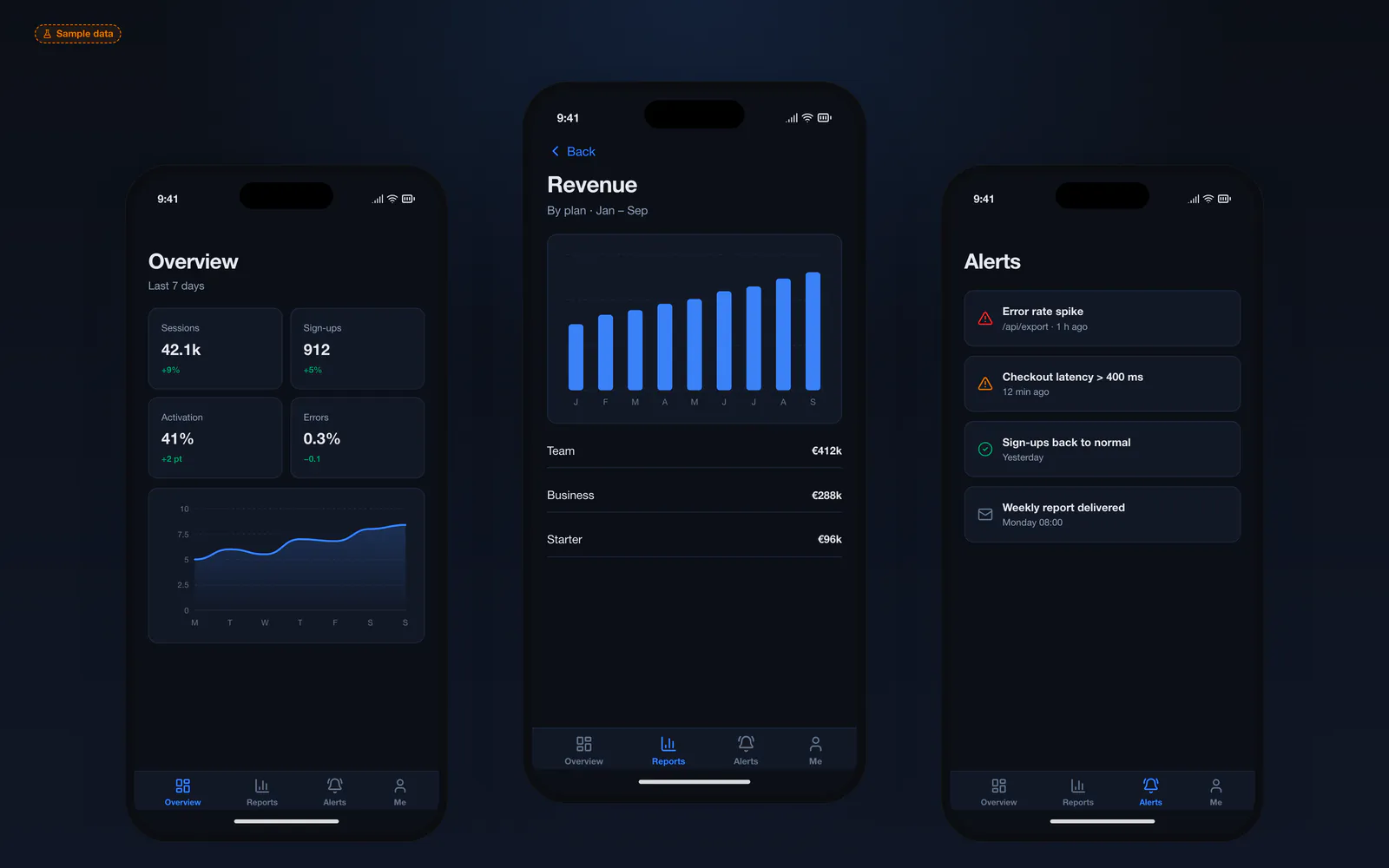
The screens use a dark theme designed for long working sessions and large monitors, while the mobile view keeps the essentials — KPIs, a trend and alerts — within reach.
The challenge
When every tool has its own report, nobody agrees on the numbers. Managers wait for someone to export and merge spreadsheets, definitions like “active customer” differ per department, and sensitive figures are shared by email because there is no controlled place to look them up. Problems are noticed days late because no one watches the data continuously.
The solution
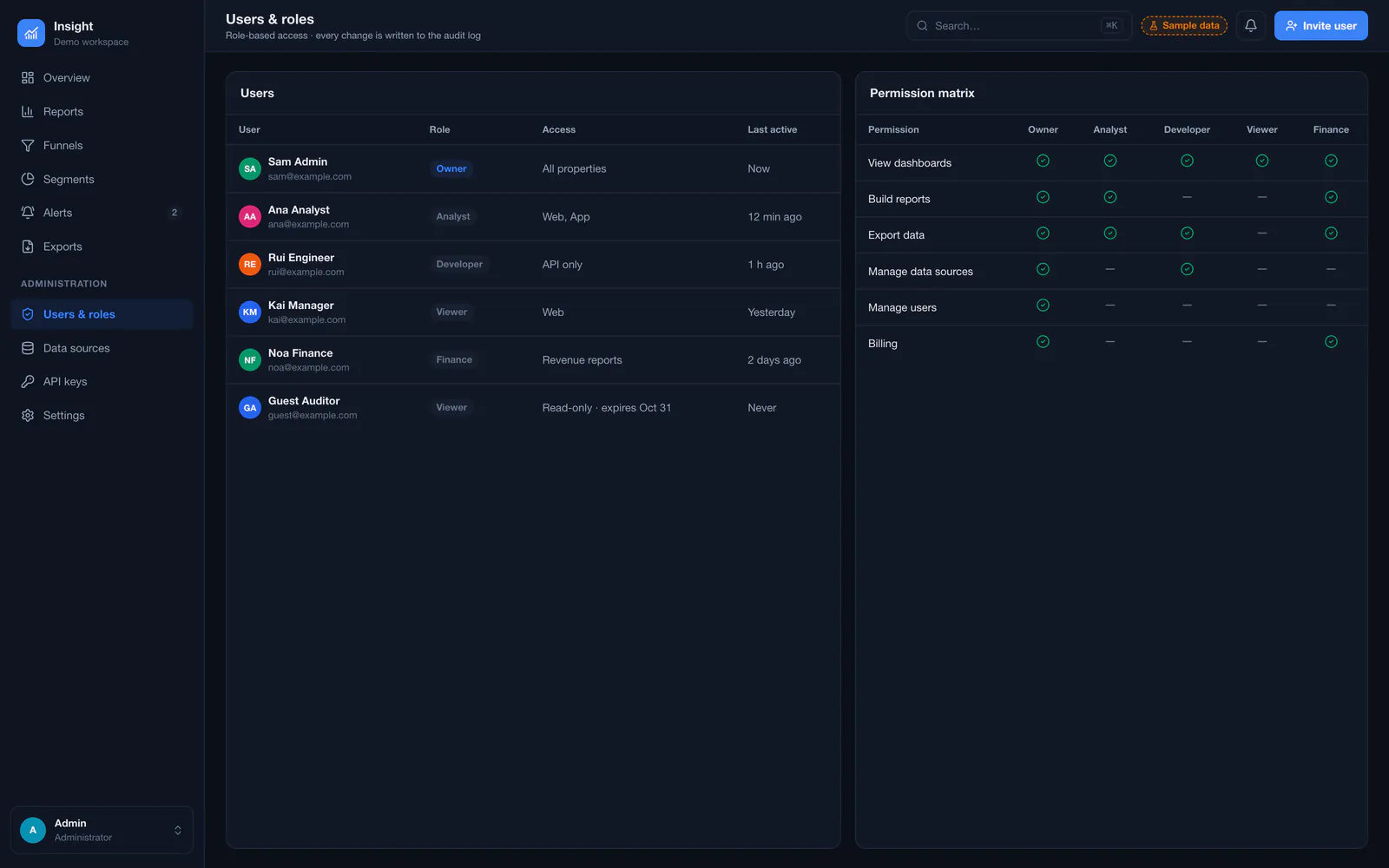
The concept introduces one source of truth. Scheduled jobs import data from the connected systems into a reporting database, where metrics are defined once and reused everywhere. The overview shows the agreed KPIs with trends; the report builder lets analysts combine dimensions and metrics, save reports and schedule exports; alerts flag thresholds; and roles decide who sees revenue, who can export and who manages data sources.
Key features
- KPI overview with period comparison and sparklines
- Trend charts for traffic, sign-ups, revenue or operations
- Report builder with dimensions, metrics, filters and chart types
- Scheduled CSV exports and emailed reports
- Threshold alerts for errors, latency or sales dips
- Users, roles and a permission matrix per data area
- Data source connections with import history
- Mobile view for KPIs and alerts
Who it is for
- Companies whose numbers live in several tools and spreadsheets
- Management teams that need one agreed set of KPIs
- SaaS and ecommerce businesses that want an internal admin panel
- Operations teams that need alerts instead of weekly reports
Technical approach
Import jobs run on BullMQ and write into PostgreSQL tables designed for reporting, with pre-aggregated daily figures so dashboards stay fast. A typed REST API serves the charts, results are cached in Redis, and Next.js renders the interface with server-side permission checks on every query. Exports are generated in the background and delivered as files, with every access recorded in an audit log.
- Frontend
- Database
- Integrations
- Google Analytics 4StripeSMTP
Screens
Main screens
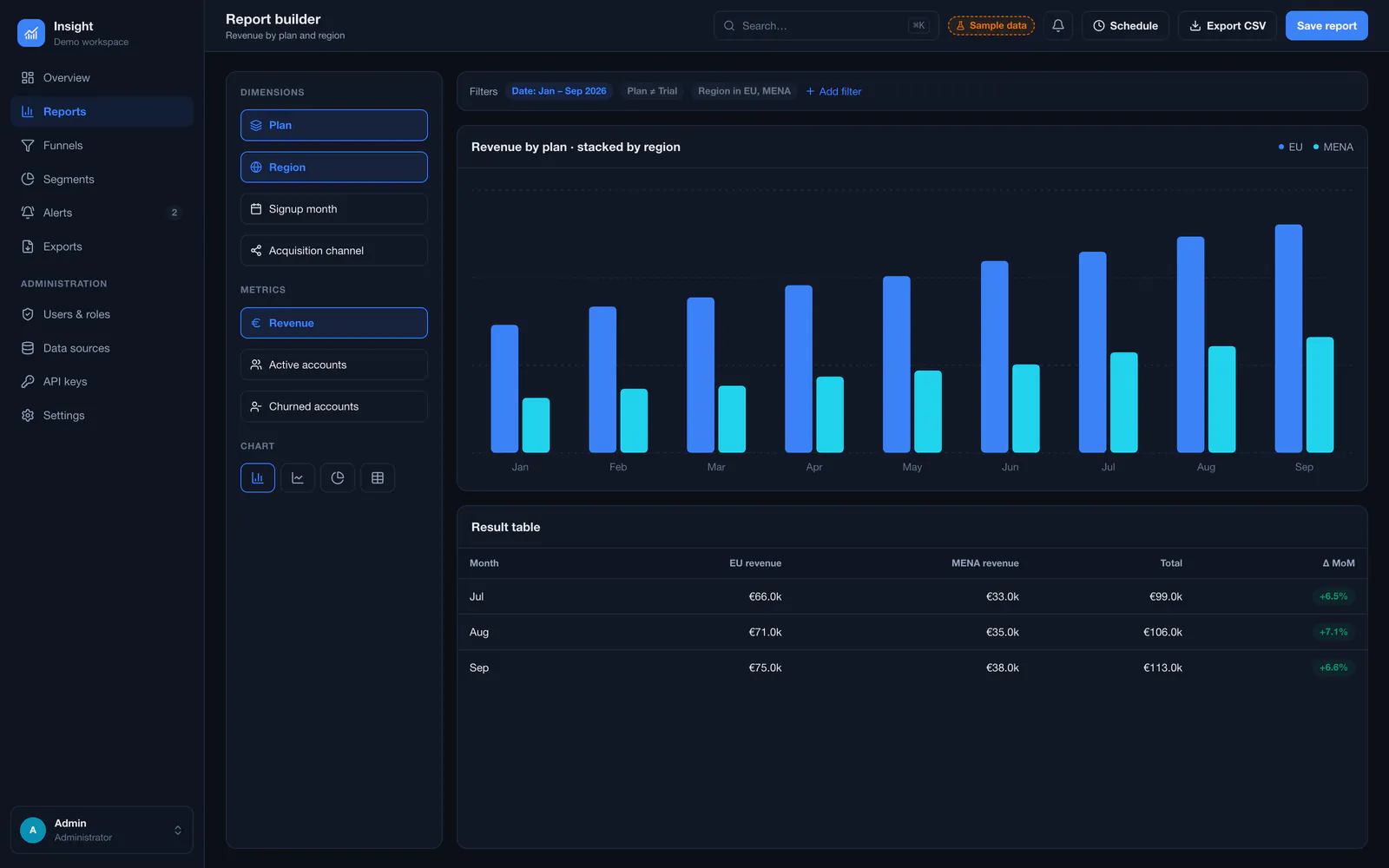
Admin interface
Mobile & responsive views
Services behind this project
The work in this case study maps onto these services. Each page explains scope, process and what you receive.
Related projects
All projects Online storesEcommerce platform
Advanced Ecommerce Platform
A custom online store with product management, fast search, customer accounts, a multi-step checkout and a complete order dashboard — built on Next.js, TypeScript and PostgreSQL.
- Next.js
- React
- TypeScript
- PostgreSQL
- Prisma
- +4
 SaaS platformsSaaS platform
SaaS Management Platform
A multi-tenant SaaS foundation with workspaces, members and roles, subscription billing, usage limits, an audit log and an operator console for the team that runs the product.
- Next.js
- React
- TypeScript
- PostgreSQL
- Prisma
- +4
 Business systemsCRM system
Custom CRM System
A CRM shaped around one sales process: lead capture from the website and WhatsApp, a visual pipeline, contact timelines, follow-up tasks, quotes and a sales dashboard.
- Next.js
- React
- TypeScript
- PostgreSQL
- Prisma
- +2
Questions about this type of project
Are these real company figures?
No. All numbers in this demonstration project are sample data. The screens show how Saad structures a custom admin dashboard and analytics platform.
Why build a custom dashboard instead of using a BI tool?
Off-the-shelf BI tools are a good fit for analysts. A custom admin dashboard makes sense when the figures must sit next to actions — approving, contacting, correcting — inside your own system, with your own roles and definitions.
Which data sources can be connected?
Anything with an API or database export: your own application database, payment providers, analytics, CRM or accounting tools. Each source is assessed during the requirements phase for data quality and refresh frequency.
Want a similar project?
Tell Saad what you need. You get a clear scope, a phased plan and direct contact with the developer who builds it — no middlemen.
Direct, clear communication
You talk directly to the engineer writing the code — no sales intermediaries, no vague delivery dates.
Fully custom solutions
No ready-made WordPress themes or copied code — every line is written to fit your business's exact requirements and scale.
From idea to launch
Help shaping the specification and turning a rough concept into a real, usable digital product.
The request form opens with this type of project already selected.