Windows Desktop Business Application
A Windows desktop application for running a small business from the office PC: customers, records, quotes and invoices, local printing, reports and backups — fully offline, with optional sync to a server.
Project facts
- Project type
- Windows desktop application
- Category
- Desktop software
- Industry
- Small business & back office
- Technology stack
- Electron
- React
- TypeScript
- SQLite
- Node.js
- PostgreSQL
- REST API

Overview
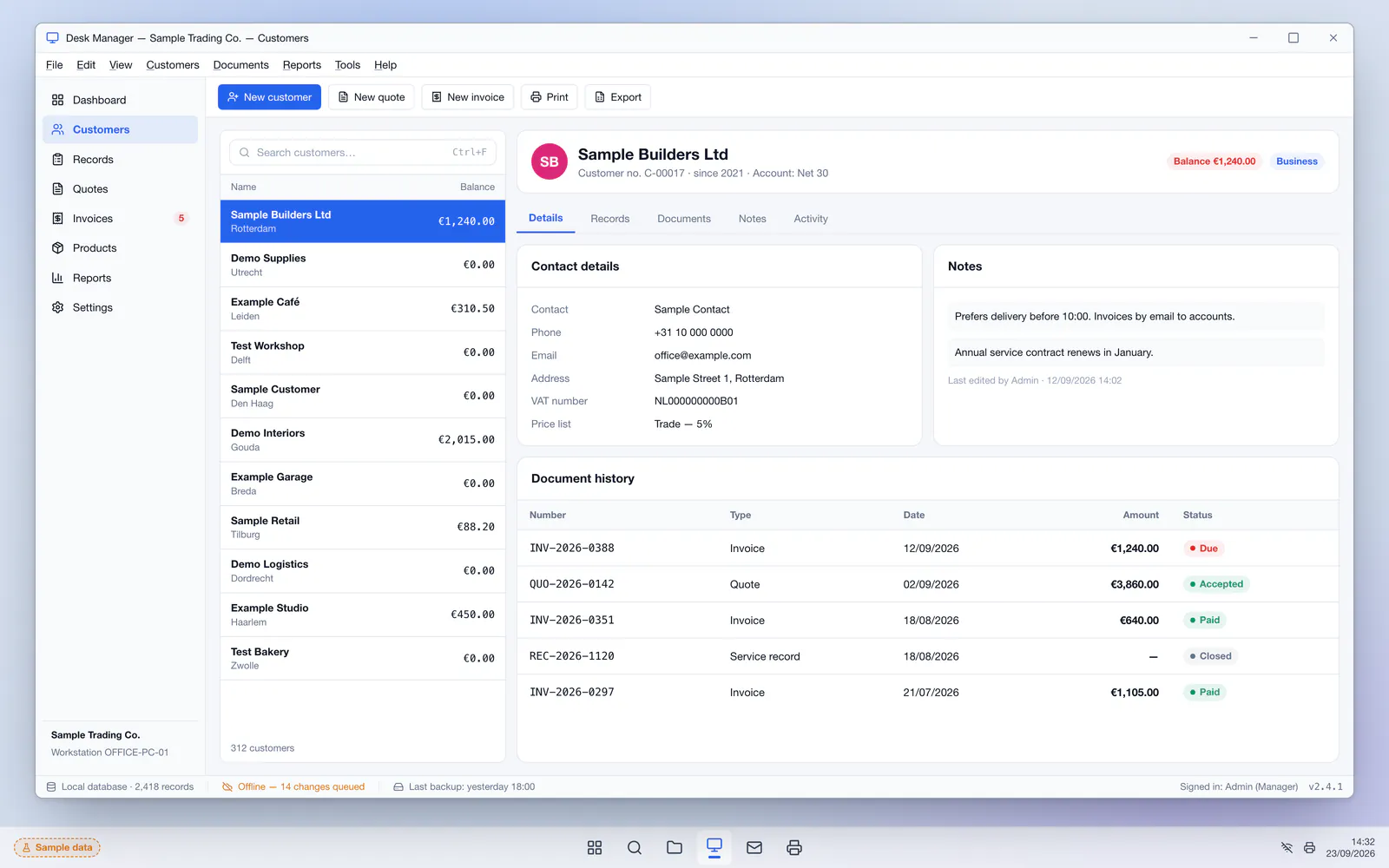
This demonstration project shows a Windows desktop application for a small business that works from one or several office PCs — a trade counter, a service desk or a back office. Staff sign in, look up a customer, open their records, create a quote or invoice, print it on the office printer and close the day with a report. Everything runs on the PC itself with a local database, so the software keeps working when the internet connection drops.
It is a real desktop program, not a website in a browser window: it installs with a Windows installer, opens in its own window with a menu bar and keyboard shortcuts, prints directly to office and receipt printers, reads USB barcode scanners and updates itself. When a server is available, changes sync in the background so several PCs — or a second branch — work with the same data.
The challenge
Many small businesses still depend on an old desktop program nobody can change anymore, a folder of Excel files, or a web tool that stops working the moment the connection drops. Printing is fiddly, backups depend on someone remembering them, and all the data sits on one PC. Moving everything to a browser-based system is not always the answer either: some work happens where the connection is unreliable, some needs direct access to printers and scanners, and some owners simply want their data on their own machines.
The solution
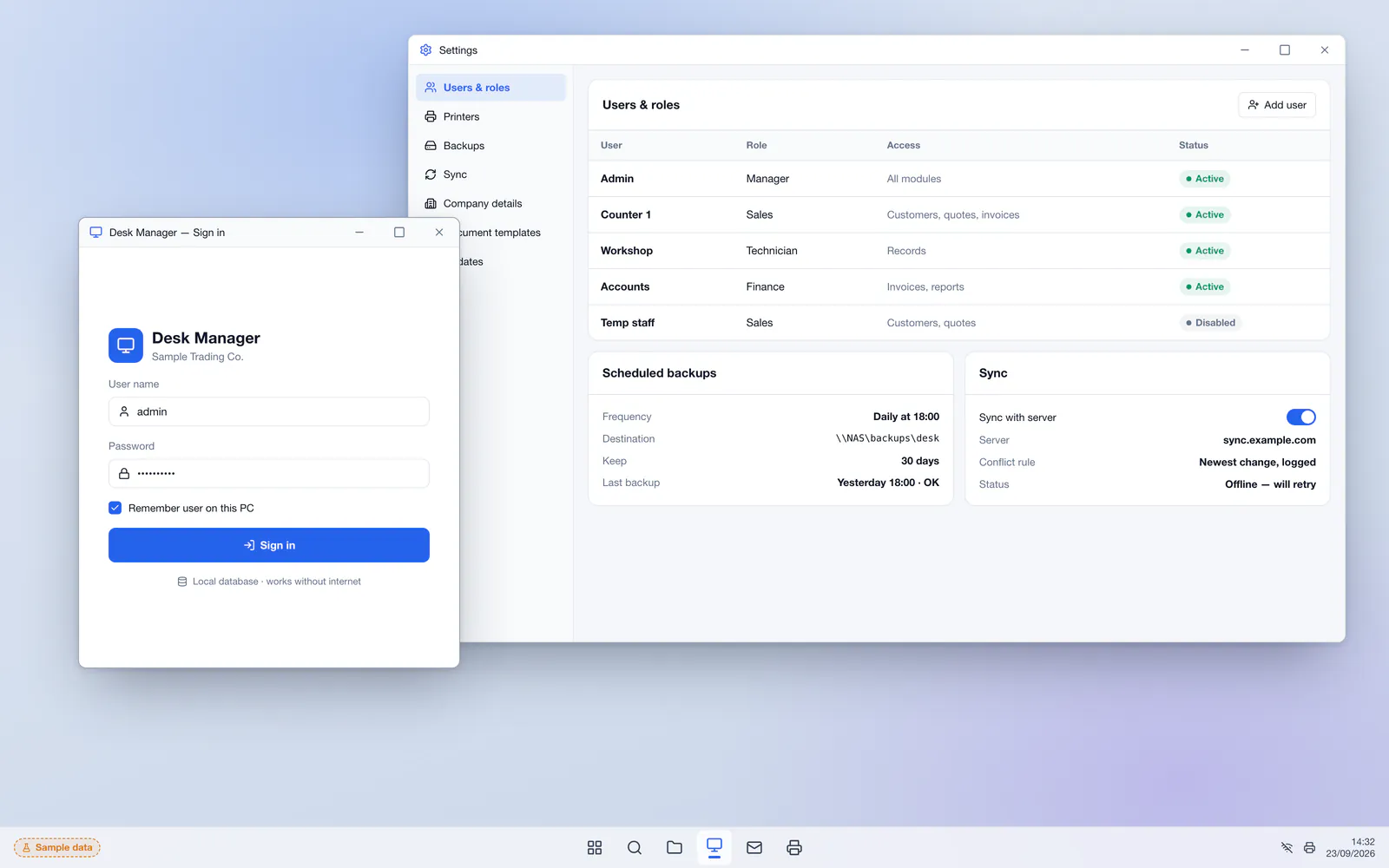
The concept is an offline-first Windows application. All data lives in a local SQLite database, so screens open instantly and nothing waits for the network. Customers, records and documents are managed from one window with a familiar sidebar, search and keyboard shortcuts. Quotes and invoices are printed directly on A4 or 80 mm receipt printers using the business's own templates. Every user signs in with their own account and role, and every change is logged. Backups run on a schedule to a local folder or network drive, and — when enabled — a sync service keeps several PCs and an online copy in step.
Key features
- Runs fully offline on Windows with a local SQLite database
- Customer records with contact details, notes and full history
- Quotes, orders and invoices printed on A4 or 80 mm receipt printers
- User accounts with roles and an activity log
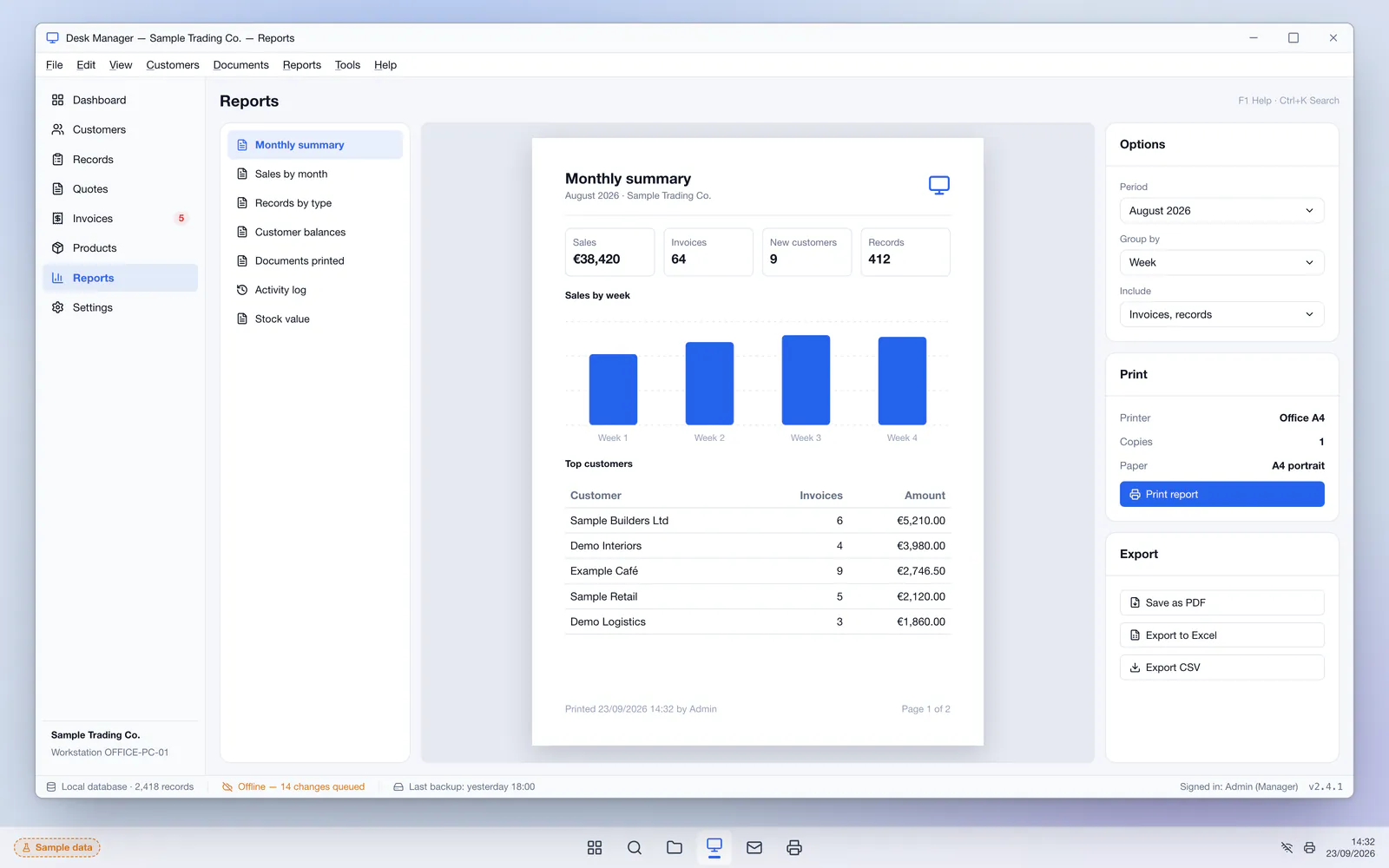
- Reports with print preview and export to Excel or PDF
- Scheduled backups to a local folder or network drive
- Optional sync between several PCs and an online server
- Windows installer with automatic updates
Who it is for
- Businesses that work from office PCs and need dependable local software
- Shops, workshops and service desks with an unreliable internet connection
- Teams replacing an outdated desktop program or a folder of Excel files
- Owners who want their data stored on their own machines
Technical approach
The application is built with Electron, React and TypeScript and ships as a signed Windows installer with automatic updates. The interface runs in a sandboxed renderer with context isolation; database access, printing and file operations live in the main process behind a narrow, typed IPC layer, so the screen code never touches the file system directly. Data is stored in SQLite with schema migrations bundled in each release and write-ahead logging for safe concurrent access. Optional sync uses a Node.js service with PostgreSQL: each PC keeps a queue of local changes and exchanges them over a REST API when online, with conflict rules per record type.
- Frontend
- Database
- Desktop
- Integrations
- Local printers80 mm receipt printersUSB barcode scannersExcel / CSVSMTP
Screens
Main screens
Admin interface
Services behind this project
The work in this case study maps onto these services. Each page explains scope, process and what you receive.
Related projects
All projects Business systemsBusiness management system
Business Management System
An ERP-style system for a growing trading company: inventory across warehouses, purchasing with approvals, sales orders, suppliers, staff leave and a company dashboard in one place.
- Next.js
- React
- TypeScript
- PostgreSQL
- Prisma
- +3
 Business systemsInvoicing system
Invoicing & Billing System
Custom invoicing software with quotes, invoices and recurring billing, online payment links, automatic reminders, an aging report and a payment page customers can open without an account.
- Next.js
- React
- TypeScript
- PostgreSQL
- Prisma
- +2
 Business systemsCustomer portal
Customer Portal
A secure self-service portal where business customers follow orders and projects, pay invoices, download documents and open support tickets — with a staff side for the team behind it.
- Next.js
- React
- TypeScript
- PostgreSQL
- Prisma
- +2
Questions about this type of project
Is this application used by a real company?
No. It is a demonstration project with sample customers, records and documents. It shows how Saad builds custom Windows desktop applications.
Does the software work without an internet connection?
Yes. In this concept all data is stored in a local database on the PC, so customers, records, printing and reports work offline. Sync is optional and runs in the background whenever a connection is available.
Can it run on several computers at once?
Yes. Each PC keeps its own local copy; with the optional sync service they exchange changes through a central server, with clear rules for when two people edit the same record. A single-PC setup needs no server at all.
Will it work with our printers and barcode scanners?
In most cases, yes. The application prints through Windows to the A4 and receipt printers already installed, and USB barcode scanners that act as a keyboard work without extra drivers. Other devices are checked during the analysis.
Want a similar project?
Tell Saad what you need. You get a clear scope, a phased plan and direct contact with the developer who builds it — no middlemen.
Direct, clear communication
You talk directly to the engineer writing the code — no sales intermediaries, no vague delivery dates.
Fully custom solutions
No ready-made WordPress themes or copied code — every line is written to fit your business's exact requirements and scale.
From idea to launch
Help shaping the specification and turning a rough concept into a real, usable digital product.
The request form opens with this type of project already selected.